Grim Valorant Crosshair & Settings (2026)
Best Grim Valorant Crosshair Settings (2026 Pro Guide)
If you have ever been killed by a Sage standing on a floating wall in the corner of the ceiling, you have witnessed the influence of Grim. He is the creator of the “Battle Sage” playstyle. To pull off his impossible wall boosts, you need the official Grim Valorant Crosshair Settings.
Unlike standard pros who play Sage for healing, Grim plays her as a Duelist. Below is the complete guide to the Grim Valorant Crosshair Settings, including the exact code he uses to line up his pixel-perfect lineups.
Grim Valorant Crosshair Settings & Code (2026)
The most important part of the Grim Valorant Crosshair Settings is the use of **Outlines**. Most pros turn outlines off, but Grim keeps them on. Why? Because when you are looking at the bright sky to line up a wall throw, a white crosshair disappears. The black outline ensures he never loses track of his center point.
Grim Mouse Settings & Sensitivity
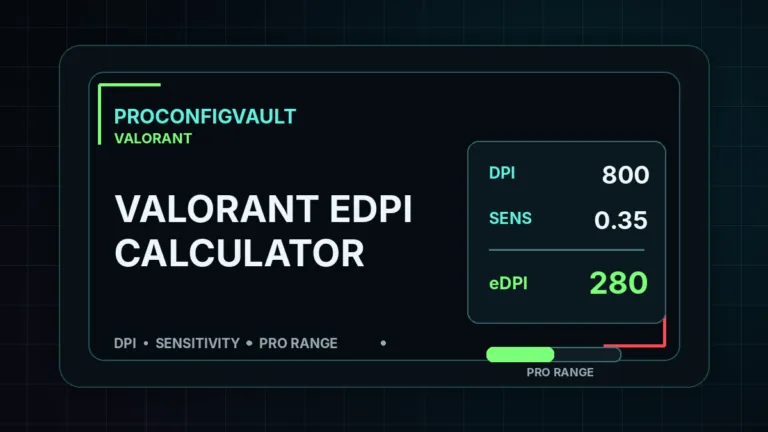
Grim plays on a sensitivity that is considered “High” for a tactical shooter. He uses 800 DPI with 0.45 Sensitivity.
Why is this important? To execute a “Grim Wall,” you often have to look down at your feet, place the wall, jump, crouch, and snap your aim back up to the enemy—all in under 0.5 seconds. A low sensitivity (like 0.2) would be too slow for these acrobatic movements.
| Setting | Value |
|---|---|
| DPI | 800 |
| Sensitivity | 0.45 |
| eDPI | 360 (High) |
| Zoom Sensitivity | 1.00 |
| Hz (Polling Rate) | 1000Hz |
| Raw Input | On |
Grim Video & Graphics Settings
While his walls are complex, his video settings are simple. Grim prioritizes maximum FPS to ensure his jump timings are consistent. He plays on **1920×1080 (Native)** resolution, unlike many pros who use stretched.
| Video Setting | Value |
|---|---|
| Resolution | 1920×1080 (16:9) |
| Multithreaded Rendering | On |
| Material Quality | Low |
| Texture Quality | Low |
| Detail Quality | Low |
| UI Quality | Low |
| Vignette | Off |
| VSync | Off |
| Anti-Aliasing | MSAA 2x |
| Anisotropic Filtering | 2x |
| Bloom | On |
Grim’s Gaming Gear (2026)
You cannot perform consistent “crouch-jump-place” combos with a cheap keyboard. Grim uses specific gear to help with movement mechanics.
- Mouse: Razer Viper V3 Pro (White)
- Keyboard: Wooting 60HE (The “Rapid Trigger” is essential for his movement)
- Headset: HyperX Cloud Alpha
- Mousepad: Logitech G640
- Monitor: Alienware AW2518H (240Hz)
Keybinds for “Grim Walls”
The secret to Grim Valorant Crosshair Settings lies in his keybinds. He uses standard keys, but his timing is unique.
- Walk: Left Shift
- Crouch: Left Ctrl
- Jump: Mouse Wheel Down + Spacebar
- Ability 1 (Barrier Orb): C
- Ability 2 (Slow Orb): Q
- Ability 3 (Heal): E
- Ultimate (Resurrect): X
Deep Dive: The “Battle Sage” Playstyle
Why does Grim use these specific Grim Valorant Crosshair Settings? It comes down to utility usage. Standard Sage players stay in the backline. Grim plays as an “Entry Sage.”
His sensitivity of **0.45** allows him to check high angles (top of boxes) and low angles (feet) instantly. If you try to copy his playstyle with a low sensitivity (like 0.2), you will find that you run out of mousepad space when trying to place walls behind you.
Where to Watch Grim Live
To learn the latest wall lineups on maps like Sunset or Abyss, check his official channels:
- YouTube: Watch his montage tutorials at Grim’s YouTube.
- Twitch: Watch him perform live at twitch.tv/grim.
- Twitter/X: Updates at @Grim_Valorant.
⚠️ Try Hard Mode?
Compare Grim’s high sens with FlowAscending or other Battle Sages.
👉 View Top 50 Pro Crosshairs