Aspas Valorant Crosshair & Settings (2026)
Aspas Valorant Settings & Crosshair Code: 2026 Pro Guide
Erick “Aspas” Santos is widely considered the final boss of Valorant duelists. Currently dominating the VCT Americas league with MIBR, his raw mechanical skill on Jett, Neon, and Raze is unparalleled. Unlike other pros who constantly change their gear, mastering the exact Aspas Valorant settings provides a proven blueprint for consistent, world-class entry fragging.
If you want to move and aim like the 2022 World Champion, you need his exact 2026 configuration. This complete guide breaks down his custom mouse sensitivity, his signature ATK keyboard, his 540Hz monitor setup, and his famous white crosshair. You can view his complete match history and stats on his official VLR.gg profile.
Aspas Hardware Vault: The Duelist Setup
A crucial element of the Aspas Valorant settings is his premium hardware. He uses top-of-the-line esports gear designed to eliminate input delay and maximize his reaction time. Here is his current 2026 stage setup:
| Hardware Component | Model / Gear |
|---|---|
| Gaming Mouse | Logitech G Pro X Superlight 2 (White) |
| Esports Monitor | ZOWIE XL2586X (540Hz) |
| Keyboard | ATK RS6 Ultra Aspas Edition (or Wooting 60HE) |
| Gaming Headset | Corsair VOID Wireless V2 / HyperX Cloud Alpha S |
| Mousepad | Artisan Ninja FX Zero Soft Orange |
Aspas Mouse Settings & eDPI
When examining the Aspas Valorant settings, his mouse configuration reveals an incredibly steady, mid-to-low sensitivity profile. This allows him to maintain perfect crosshair placement while still having the speed to dash and flick as Jett.
- DPI: 800
- In-Game Sensitivity: 0.40
- eDPI: 320
- Zoom/Scoped Sensitivity: 1.00
- Polling Rate: 1000Hz (Up to 4000Hz compatible)
- Windows Sensitivity: 6/11
An eDPI of 320 is considered the standard “sweet spot” for professional Valorant players, offering the perfect balance between micro-adjustments and 180-degree turns.
Aspas Valorant Crosshair Code
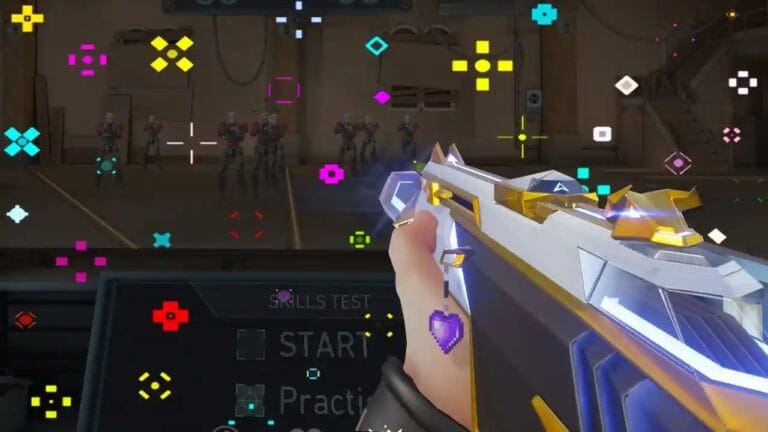
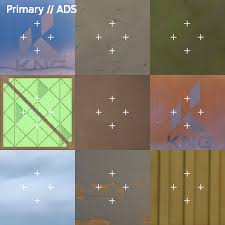
Unlike Demon1 or TenZ who frequently use dots or cyan colors, Aspas uses a classic, small “White Cross” crosshair. This traditional shape helps him visualize rifle spray patterns and recoil control much better than a simple dot, while still remaining small enough for long-range Vandal headshots.
🎯 Aspas Pro Code
0;P;h;0;0l;4;0o;0;0a;1;0f;0;1b;0Manual Crosshair Settings:
If you prefer to build the crosshair manually in the menu, use these values:
Color: White | Outlines: Off | Center Dot: Off | Inner Lines: 1 / 4 / 2 / 0 | Outer Lines: Off
Aspas Video Settings & Resolution
The final piece of the Aspas Valorant settings puzzle is his video configuration. Unlike CS2 players who heavily rely on stretched resolutions, Aspas plays on standard native 1080p to maintain maximum visual clarity and the highest possible frame rates on his 540Hz monitor.
- Resolution: 1920×1080
- Aspect Ratio: 16:9 (Fill)
- Display Mode: Fullscreen
- Multithreaded Rendering: On
- Material / Detail / UI Quality: Low
- Anti-Aliasing: None
Frequently Asked Questions
What mousepad does Aspas use?
Aspas is famous for using the Artisan Ninja FX Zero Soft (in Orange). Artisan mousepads are highly sought-after premium pads from Japan, known for their perfect blend of stopping power and smooth glide.
What keyboard does Aspas play with?
He plays on an ATK RS6 Ultra Aspas Edition keyboard, though he has also competed extensively with the Wooting 60HE. Both keyboards feature magnetic Hall Effect switches for Rapid Trigger functionality, allowing for instant counter-strafing.
How do I import the Aspas Valorant settings into my game?
To use his crosshair, copy the 14-character code string provided above. Launch Valorant, open your settings, navigate to the Crosshair tab, click the “Import Profile Code” button (the downward arrow icon), and paste the code.