Shroud Valorant Crosshair & Settings (2026)
Shroud Valorant Settings & Crosshair Code: 2026 Pro Guide
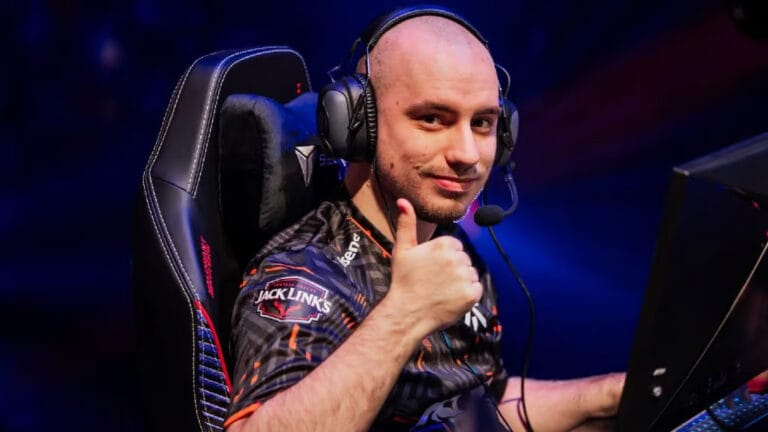
Michael “shroud” Grzesiek is universally known across the esports community as the “Human Aimbot”. Since transitioning from professional CS:GO to streaming and competing in Valorant, his naturally gifted, relaxed aiming style has captivated millions of viewers. While he is notorious for frequently changing his gear and sensitivity, mastering the exact Shroud Valorant settings gives players a blueprint for clean, effortless mechanical aim.
Unlike hyper-aggressive duelists, shroud relies on perfect crosshair placement and a slightly higher sensitivity to compensate for his “lazy” wrist-aiming style. This complete 2026 guide breaks down his custom mouse sensitivity, his signature Logitech hardware line, his 1440p video resolution, and his famous cyan crosshair. You can also track his latest ranked matches and performance on Tracker.gg.
Shroud Hardware Vault: The Signature Setup
A vital piece of the Shroud Valorant settings puzzle is his hardware. As a massive content creator and former pro, he has an exclusive partnership with Logitech, meaning his entire desk is outfitted with top-tier wireless gear. Here is his current 2026 setup:
| Hardware Component | Model / Gear |
|---|---|
| Gaming Mouse | Logitech G PRO X Superlight 2 DEX |
| Esports Monitor | Alienware AW2721D (240Hz, 1440p) |
| Keyboard | Logitech G PRO X TKL RAPID |
| Gaming Headset | Logitech G PRO X 2 Wireless (Shroud Edition) |
| Mousepad | Logitech G840 XL Shroud Edition |
Shroud Mouse Settings & eDPI
When reviewing the Shroud Valorant settings, his mouse configuration reveals a surprisingly high eDPI for a former Counter-Strike professional. He plays with a relaxed grip, using a higher sensitivity to hit 180-degree flicks without needing to move his arm aggressively across his desk.
- DPI: 800
- In-Game Sensitivity: 0.45
- eDPI (Effective DPI): 360
- Zoom Sensitivity: 1.00
- Polling Rate (Hz): 1000Hz (Up to 4000Hz via Superlight 2)
- Windows Sensitivity: 6/11
An eDPI of 360 is slightly above the pro average (which sits around 250-300), giving him the speed to quickly react to flankers while maintaining pixel-perfect headshot accuracy.
Shroud Valorant Crosshair Code
Shroud almost exclusively uses a Cyan crosshair. Cyan provides excellent contrast against the red outlines of enemy players and doesn’t blend into the sky or walls on most Valorant maps.
🎯 Shroud Pro Code
0;s;1;P;c;5;h;0;0l;4;0o;2;0a;1;0f;0;1b;0Manual Crosshair Settings:
If the import code fails, you can easily build his crosshair in the game settings using these values:
Color: Cyan | Outlines: On (Opacity 1, Thickness 1) | Center Dot: Off | Inner Lines: 1 / 4 / 2 / 2 | Outer Lines: Off
Shroud Video Settings & Resolution
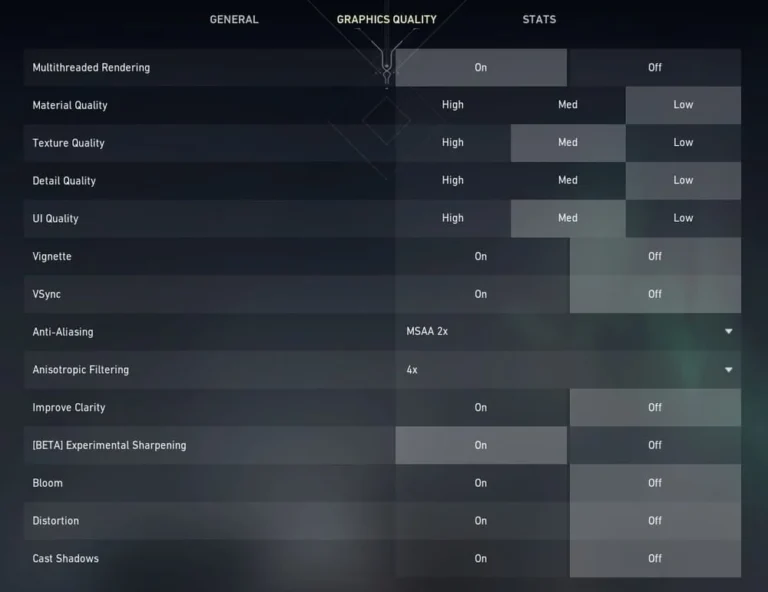
A unique aspect of the Shroud Valorant settings is his preference for a 1440p resolution. While 90% of professional Valorant players use 1080p to maximize frame rates, Shroud’s high-end streaming PC allows him to play at 2560×1440, giving him incredibly sharp visuals.
- Resolution: 2560×1440
- Aspect Ratio: 16:9 (Fill)
- Display Mode: Fullscreen
- Multithreaded Rendering: On
- Material / Detail Quality: Low (to remove distracting visual clutter)
- Anti-Aliasing: MSAA 4x
Frequently Asked Questions
Why does Shroud play on 1440p resolution?
Shroud prefers 1440p because it provides superior visual clarity, making it easier to spot enemy heads at long distances. His dual-PC streaming setup is powerful enough to handle the higher resolution without dropping below 240 FPS.
What mouse does Shroud use?
He currently uses the Logitech G PRO X Superlight 2 DEX. He also frequently uses the G303 Shroud Edition, a mouse he specifically helped design with Logitech to perfectly suit his unique claw grip.
How do I import the Shroud Valorant settings into my game?
Copy the crosshair profile code string above, open your Valorant settings, navigate to the Crosshair tab, click the “Import Profile Code” button, and paste the code to instantly equip his cyan reticle.