Best Valorant Console Settings & Crosshair Codes (PS5 & Xbox Aim Assist)
Optimizing your Valorant Console Settings is the single most effective way to rank up on PlayStation 5 and Xbox Series X. Unlike the PC version, the console edition introduces “Focus Mode,” Aim Assist, and drastically different movement mechanics. Using default settings often leaves you at a disadvantage against players who have fine-tuned their Valorant Console Settings for precision.
In this guide, we break down the best sensitivity, aim curves, and controller layouts to help you hit Radiant in 2026.
1. Best Valorant Console Settings: Crosshairs
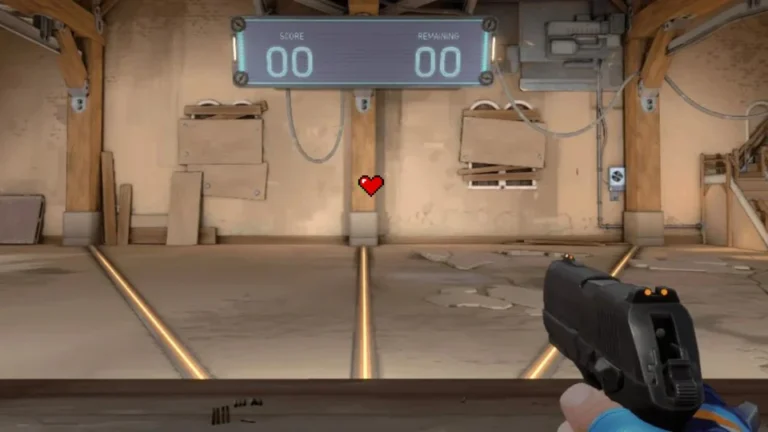
Your crosshair is the centerpiece of your Valorant Console Settings. Because you play on a TV screen from a distance, you need a reticle that is slightly thicker and “stickier” than what you would use on a PC monitor.
The “Aim Assist Sticky” (Best Overall)
This is the gold standard for Console Ranked. It features a slight gap and thicker outlines that perfectly frame the enemy’s head when Aim Assist activates. It feels “sticky” and smooth.
The “PS5 Dot” (Best for Headshots)
If you have a high-resolution TV (4K/120Hz), this Dot is perfect. It is slightly larger than the PC dot (size 3 instead of 2) so you don’t lose track of it during chaotic abilities.
The “Focus Mode” Crosshair
This crosshair is designed specifically for the Valorant Console Settings “Focus Mode” feature. It changes behavior when you pull the left trigger, giving you a tight cross for shooting and a wider one for movement.
2. Sensitivity & Aim Curves
Finding the right sensitivity is the hardest part of configuring your Valorant Console Settings. We recommend a “Dual-Zone” setup: fast for turning, but slow for aiming (Focus Mode).
| Setting | Value |
|---|---|
| Base Horizontal Sens | 8 |
| Base Vertical Sens | 8 |
| Focus Mode Sens | 6 |
| ADS Sensitivity | 5 |
| Sniper Sensitivity | 5 |
| Aim Curve | Standard |
Which Aim Curve is Best?
Your Aim Curve determines how the camera accelerates. For the most consistent Valorant Console Settings, stick to Standard.
- Standard: Best for most players. Balanced acceleration similar to Call of Duty.
- Heavy: Best for holding angles (slow ramp-up).
- Smooth: Best for Duelists (fast ramp-up).
- Linear: Only for experts (raw input, no help).
3. Controller Button Layout (Bumper Jumper)
To move like a PC player, you need to jump without taking your thumb off the aim stick. The default Valorant Console Settings force you to press X/A to jump, which hurts your aim. We recommend the “Bumper Jumper” layout.
| Action | Button (PS5 / Xbox) |
|---|---|
| Jump | L1 / LB |
| Crouch | R3 / Right Stick Click |
| Ability 1 | R1 / RB |
| Focus Mode | L2 / LT |
| Shoot | R2 / RT |
4. Deadzone Settings (Fix Stick Drift)
Stick drift can ruin your aim. If your crosshair drifts on its own, your deadzone is too low. If aiming feels “heavy” or unresponsive, it is too high. Adjusting these Valorant Console Settings is crucial for controller longevity.
- Inner Deadzone: 0.05 (Increase to 0.10 if you have drift)
- Outer Deadzone: 0.99 (Allows max turn speed instantly)
5. Audio Settings for Console
On console, you cannot rely on high-end external DACs like on PC. However, you can optimize your in-game audio. Ensure that “HRTF” (Head-Related Transfer Function) is enabled in your Valorant Console Settings. This creates a 3D audio environment, allowing you to hear footsteps exactly where they are coming from, even with a standard headset.
Summary
The biggest mistake new console players make is playing on a sensitivity that is too high. Valorant has no aim assist on hip-fire, only in Focus Mode. Start with 8-8 Sensitivity and use Standard Aim Curve. Let the Focus Mode do the heavy lifting for your aim.
By applying these Valorant Console Settings, you will notice an immediate improvement in your consistency. For more official updates on console patches, check out the Riot Games Console News page.