Demon1 Valorant Crosshair & Settings (2026)
Best Demon1 Valorant Settings & Crosshair Code (2026 Updated)
Max “Demon1” Mazanov is widely regarded as the most mechanically gifted player in Valorant history. As the MVP of VCT Champions 2023, he redefined the meta by proving that Jett/Brimstone players could dominate with raw aim alone. If you want to replicate his precision, you need the official Demon1 Valorant Settings.
His playstyle is unique because he uses an incredibly low sensitivity to track heads with robotic precision. Below is the complete guide to the verified Demon1 Valorant Settings for the 2026 season with NRG.
Demon1 Valorant Settings: Crosshair Code (2026)
A key part of the Demon1 Valorant Settings is his specific “White Dot” crosshair. Unlike standard dots, his has a slight thickness (Outlines On), ensuring it doesn’t disappear against bright skyboxes on maps like Ascent or Haven.
Demon1 Valorant Settings: Mouse & Sensitivity
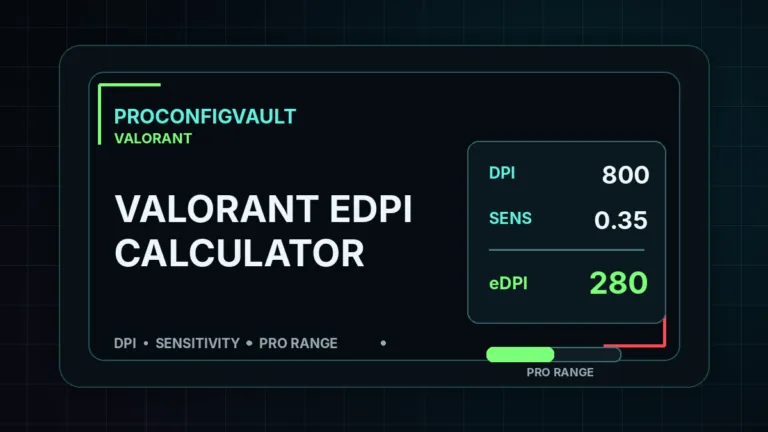
This is where the Demon1 Valorant Settings stand out from the crowd. He uses 1600 DPI with a sensitivity of 0.1. This results in an eDPI of just 160.
To put that in perspective, this is extremely slow. It requires a massive mousepad and fast arm movements. However, the benefit is unmatched stability. You can verify his stats on VLR.gg.
| Setting | Value |
|---|---|
| DPI | 1600 |
| Sensitivity | 0.1 |
| eDPI | 160 (Very Low) |
| Zoom Sensitivity | 1.00 |
| Hz (Polling Rate) | 4000Hz |
| Raw Input | On |
Demon1 Video & Graphics Settings
To maintain clarity while moving his arm rapidly, Demon1 strips away all visual clutter. He plays on 1920×1080 (Native) resolution to ensure player models are as sharp as possible.
| Video Setting | Value |
|---|---|
| Resolution | 1920×1080 (16:9) |
| Multithreaded Rendering | On |
| Material Quality | Low |
| Texture Quality | Low |
| Detail Quality | Low |
| UI Quality | Low |
| Anti-Aliasing | MSAA 4x |
| Anisotropic Filtering | 4x |
| Bloom | Off |
Demon1 vs. TenZ vs. Aspas: The Duelist Comparison
In the world of professional Duelists, playstyles vary drastically. Choosing the right one depends on your mechanical strengths:
- The Demon1 Style: Low Sens (160 eDPI). Relies on robotic precision and holding angles. Best for players with large mousepads.
- The Aspas Style: Movement-heavy. Relies on unpredictable satchel entries and chaos. See the full Aspas Valorant Settings guide.
- The TenZ Style: High Sens (320 eDPI). Relies on snappy flicks and reaction time. If you prefer high sensitivity, check out the full TenZ Valorant Crosshair & Settings guide.
Demon1’s Gaming Gear (2026)
You cannot play at 160 eDPI without top-tier lightweight gear. Friction is your enemy.
- Mouse: Razer Viper V3 Pro Settings (White) – Verified choice.
- Keyboard: Wooting 60HE (Rapid Trigger set to 0.1mm)
- Headset: HyperX Cloud II
- Mousepad: Artisan Ninja FX Zero (Soft) – Essential for stopping power on low sens.
Keybinds & Movement
Demon1 uses default keybinds but unbinds his “Walk” key from Shift to ensure he never accidentally slow-walks during a wide swing.
- Walk: Left Shift
- Crouch: Left Ctrl
- Jump: Mouse Wheel Down
- Ability 1 (Updraft): C
- Ability 2 (Dash): E
- Ability 3 (Smoke): Q
- Ultimate (Knives): X
Frequently Asked Questions
Why is Demon1’s sensitivity so low?
Lower sensitivity reduces human error. At 160 eDPI, jagged wrist movements are smoothed out, allowing for perfectly straight crosshair placement.
What mouse does Demon1 use in 2026?
He has switched to the Razer Viper V3 Pro. You can read our full optimization guide here.
⚠️ Compare With The Competition
See how Demon1 stacks up against the Leviatán superteam.
👉 View Aspas’s Crosshair & Settings