VALORANT Crosshair Code Not Working? Import Checks
Source review: 12 October 2026. Scope: PC profile-import troubleshooting. The text checker performs local copy-format checks, not official game validation.
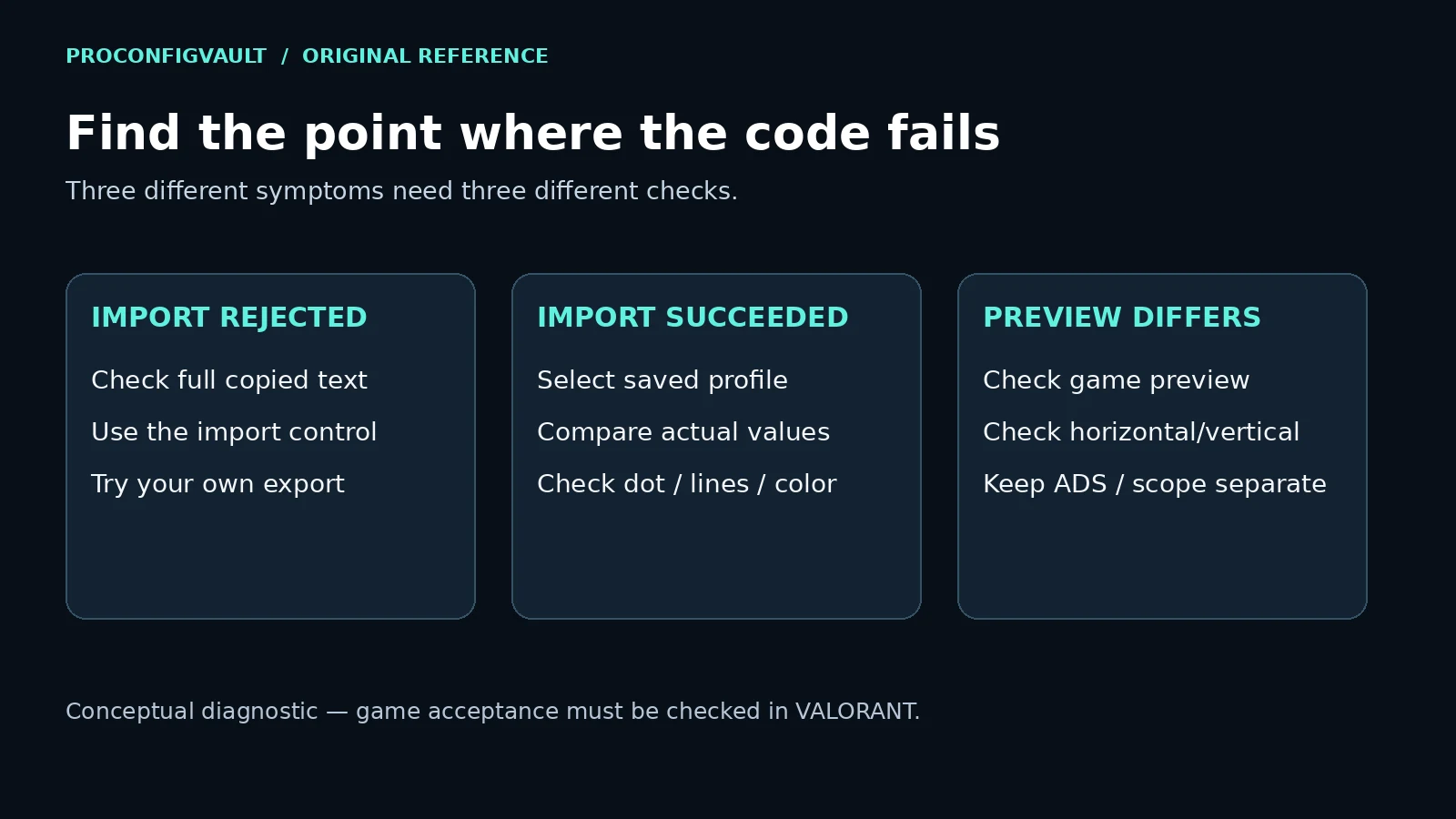
If a VALORANT crosshair code will not import, first establish whether the game rejects the text or accepts a profile that looks wrong. Recopy the complete exported string, use the import control beside Crosshair Profile, and compare against a profile you export yourself. Keep your existing profile backed up before changing or removing it.
Check the copied text
This checker flags a pasted URL, obvious CS2 data, extra punctuation and internal whitespace. It does not parse every crosshair field or confirm game acceptance. Your pasted text is processed locally; this tool does not send or store it on our server.
Paste a profile and run the text check.
Use the symptom to choose your next check
| What happened? | Check next | What the result tells you |
|---|---|---|
| The game rejects the import | Copy the entire source string again. Try an export from your own client. | A successful self-export narrows the problem to the other text or its source; it does not identify the bad field. |
| Import works, but the crosshair is different | Select the saved profile and compare its dot, lines, outline and color settings. | The import step and the appearance question are different problems. |
| A browser preview refuses the code | Read the preview’s supported-feature message and test the original in the game. | A limited preview can reject a feature that the game supports. |
| Your own exported profile also fails | Record the exact message, the copied text and the current client version. | You have a reproducible case to investigate or send to Riot Support. |
Import through the Crosshair Profile control
Riot introduced profile import and export in Patch 4.05. Its instructions place the down-arrow import control beside Crosshair Profile in Settings → Crosshair. Paste the exported text there and choose Import; the menu preview should reflect the saved settings. Give the profile a distinct name so you can select it again.
Copy the string itself, rather than a link, article heading or code-block label. If the original source offers a copy button, compare the first and last characters after pasting. A clipped final segment cannot be reconstructed reliably from an image. Keep the original export separately instead of changing unknown field names until the message disappears.
Compare one failing code with a known export
Use the crosshair code comparison to inspect stored differences between your saved export and the candidate. It reports encoded fields; only your game client can confirm import acceptance. For other setup tasks, browse all gaming tools.
- Export a profile from your own current client and save its text.
- Use the same import control to try that exported text, following the client prompts.
- Repeat with the failing text without changing other settings.
- Record whether each import is accepted and which saved profile you selected.
This is an isolation test, not a guarantee. If only the copied source fails, ask its author for a fresh export. If both fail, check the current client prompts and use Riot’s support site with the reproducible details. The test gives support a clearer starting point than “the crosshair is broken.”
When the code imports but looks different
Check the actual controls before judging a magnified screenshot. Riot’s Patch 5.04 documents independent horizontal and vertical line lengths, separate Primary/ADS/scope color controls, and custom colors entered as six-digit RGB hex values. A wrong custom-color value or a different line-length setting is an appearance issue to inspect; it is not proof that the imported string expired.
Use the mode you are testing and compare the saved values. A website’s drawn preview may represent only the primary reticle or symmetric lines. ProConfigVault’s crosshair generator currently explains unsupported asymmetric imports. Keep the original game export when a preview cannot represent its geometry.
Check profile space without losing your baseline
If the client says the profile list is full, export the profiles you want to keep before removing one. Follow the current interface’s limit and prompts. Patch 5.04 raised the limit to 15 in 2022; that historical patch note should not be mistaken for a fresh measurement of your current client.
There is no reason to reset every game setting as the first response to one failed copy. A small comparison is easier to reverse and provides better evidence. Do not merge fragments from two unrelated strings or assume a CS2 share code can be imported into VALORANT.
Questions players ask
Can this page prove a profile is valid?
No. The local checker detects obvious text problems. Only importing and checking the profile in the current game confirms its acceptance and appearance.
Should I remove all spaces automatically?
Recopy the original first. A line break can be accidental, but it can also separate two copied strings. Joining everything can hide that mistake.
What should I send when reporting a failure?
Include the exact error, source URL, full exported text, date, client/platform, whether a self-export succeeds, and whether the issue occurs in-game or only in a web preview. Avoid including account credentials.
Sources and next steps
Import/export instructions: Riot Patch 4.05. Custom color and line controls: Riot Patch 5.04. These are dated feature references. The troubleshooting matrix and local text checker are ProConfigVault’s editorial work; no in-game verification is claimed.
After a profile works, compare styles in the dot-crosshair guide or crosshair collection. This page handles import problems rather than duplicating those galleries.