Valorant Dot Crosshair Codes 2026: Copy Best Small Dots
← Back to Best Valorant Crosshair Codes
If you want a clean, minimal, and precise aim setup, a Valorant dot crosshair is one of the best options to test. Dot crosshairs remove extra visual clutter and let you focus directly on the enemy head. That is why many players search for Valorant dot crosshair codes they can copy, import, and use instantly in ranked.
A dot crosshair is not perfect for everyone. It rewards players who already have strong crosshair placement, calm aim, and good head-level discipline. If your aim is shaky or you rely on wide lines to guide your spray, a dot may feel difficult at first. But once you adjust, a small dot can make your screen feel cleaner and your first bullet accuracy more confident.
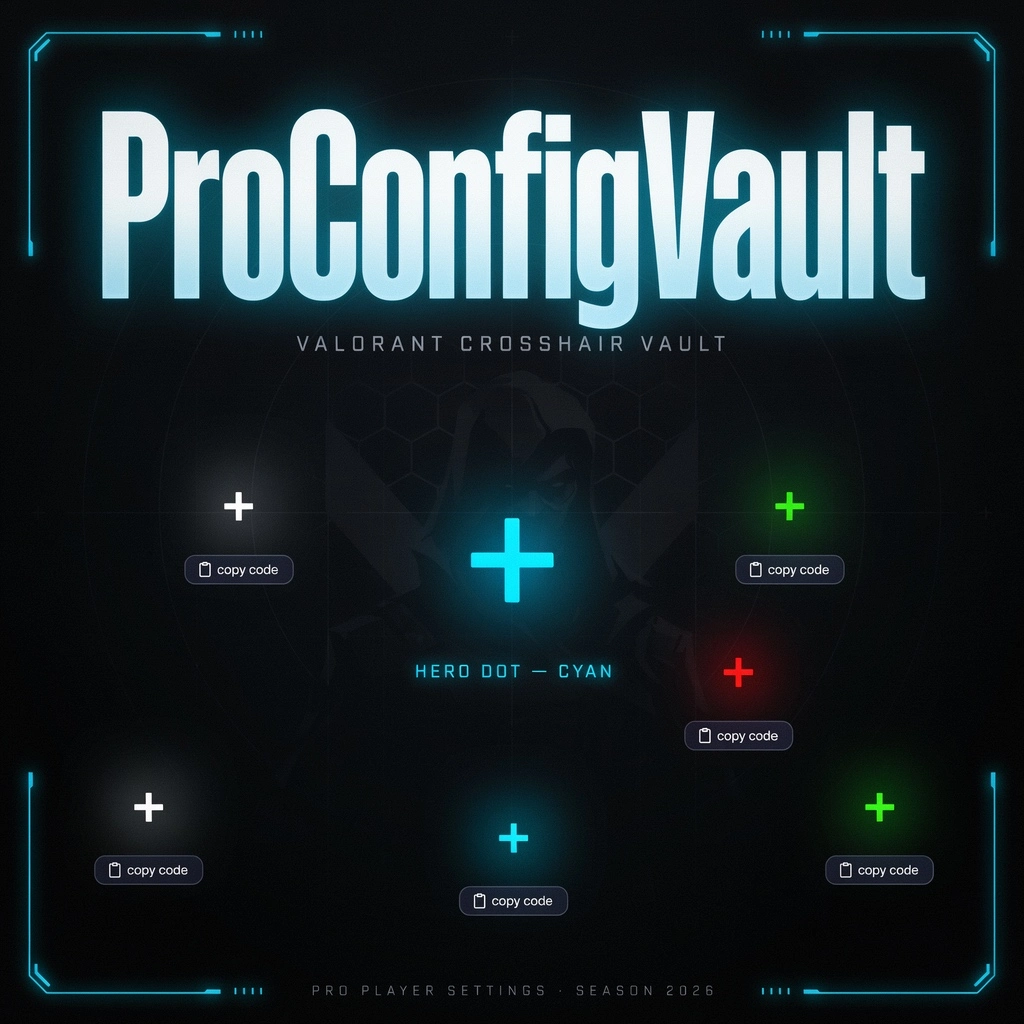
This ProConfigVault guide gives you the best Valorant dot crosshair codes 2026, including small dot, cyan dot, green dot, white dot, red dot, outlined dot, and beginner-friendly dot crosshair setups. Each code has a copy button so you can paste it directly into Valorant.
Quick Answer: Best Valorant Dot Crosshair
The best Valorant dot crosshair for most players is a small cyan or green outlined dot. It stays visible on most maps, does not block enemy heads, and gives a clean center point for tapping, bursting, and holding angles.
Valorant Dot Crosshair Codes Quick Navigation
- Best Valorant Dot Crosshair Codes
- How to Import Dot Crosshair Codes
- Best Dot Crosshair Settings
- Who Should Use a Dot Crosshair?
- Dot Crosshair vs Normal Crosshair
- Aim Tips for Dot Crosshair Users
- FAQ
Best Valorant Dot Crosshair Codes 2026
Below are the best Valorant dot crosshair codes to copy and test. Start with the cyan outlined dot if you are unsure. It is the safest option because cyan is highly visible on most Valorant maps and does not blend easily with common backgrounds.
1. Best Cyan Dot Crosshair
A clean cyan dot with outline. Best for most ranked players who want visibility and precision.
0;P;c;5;o;1;d;1;z;2;0b;0;1b;0
2. Green Dot Crosshair
A bright green dot for players who want high visibility and simple center focus.
0;P;c;1;o;1;d;1;z;2;0b;0;1b;0
3. White Dot Crosshair
A clean white dot with outline. Good for players who like simple and classic crosshair colors.
0;P;c;8;u;FFFFFF;o;1;d;1;z;2;0b;0;1b;0
4. Red Dot Crosshair
A red dot for players who want strong contrast on bright maps and a sharp aim point.
0;P;c;8;u;FF0000;o;1;d;1;z;2;0b;0;1b;0
5. Yellow Dot Crosshair
A bright yellow dot that stands out well in dark corners and shadowed areas.
0;P;c;8;u;FFFF00;o;1;d;1;z;2;0b;0;1b;0
6. Purple Dot Crosshair
A stylish purple dot for players who want a unique reticle that still stays clean.
0;P;c;8;u;A855F7;o;1;d;1;z;2;0b;0;1b;0
7. Tiny Dot Crosshair
A very small dot for experienced players who want maximum screen clarity and minimal clutter.
0;P;c;5;o;1;d;1;z;1;0b;0;1b;0
How to Import Valorant Dot Crosshair Codes
Importing a Valorant dot crosshair code is simple. Follow these steps inside Valorant:
- Copy one of the dot crosshair codes above.
- Open Valorant.
- Go to Settings.
- Open the Crosshair tab.
- Click the Import Profile Code button.
- Paste the copied code.
- Click Import.
- Rename the profile so you can find it later.
For extra reference, you can also compare community-made Valorant crosshairs on Tracker.gg Valorant Crosshair Gallery, which includes copyable crosshair codes and a crosshair builder.
If a code does not import, make sure you copied the full code without extra spaces. You can also paste it into a notes app first, remove any blank spaces, and then copy it again.
For more crosshair options, visit our Valorant Crosshair Generator or browse our Best Valorant Crosshair Codes.
Best Valorant Dot Crosshair Settings
If you prefer to build the dot manually instead of using a code, these are the recommended settings:
| Setting | Recommended Value | Why It Matters |
|---|---|---|
| Color | Cyan, Green, White, or Yellow | These colors stay visible on most maps |
| Outlines | On | Keeps the dot visible against bright backgrounds |
| Center Dot | On | Creates the dot aiming point |
| Center Dot Size | 1 to 3 | Smaller is cleaner, larger is easier to see |
| Inner Lines | Off | Removes extra visual clutter |
| Outer Lines | Off | Keeps the crosshair minimal |
Pro Tip: Start With Dot Size 2
If dot size 1 feels too small, use dot size 2 first. It is still clean, but easier to track during real gunfights. Once you are comfortable, test a tiny dot for more precision.
Who Should Use a Valorant Dot Crosshair?
A Valorant dot crosshair is best for players who want a minimal setup and already understand crosshair placement. It works well for calm aimers who tap, burst, and hold tight angles instead of spraying constantly.
Dot crosshairs are especially useful for:
- Vandal players who focus on first-bullet accuracy.
- Sheriff players who want a clear headshot point.
- Guardian players who prefer precise tapping.
- Operator players who want less screen clutter when unscoped.
- Experienced ranked players with stable crosshair placement.
If you are new to Valorant, a dot crosshair may feel too small at first. In that case, try a small normal crosshair from our Best Valorant Crosshair Codes guide before switching to a dot.
Valorant Dot Crosshair vs Normal Crosshair
Both dot crosshairs and normal crosshairs can work in Valorant. The best choice depends on your aim style.
| Crosshair Type | Best For | Weakness |
|---|---|---|
| Dot Crosshair | Precision, tapping, clean visibility | Can feel too small for beginners |
| Small Crosshair | Balanced rifle aim and easy tracking | More screen clutter than a dot |
| Large Crosshair | Beginners and visibility | Can block enemy heads |
A dot crosshair gives the cleanest center point, but it gives less visual guidance when spraying. A normal crosshair gives more reference lines, but it can distract you if the lines are too thick or too long.
Aim Tips for Valorant Dot Crosshair Users
Using a dot crosshair requires discipline. Since there are no lines to guide your spray or movement, you must rely more on strong fundamentals.
1. Keep Your Crosshair at Head Level
A dot crosshair is strongest when your crosshair placement is already good. Keep the dot at head height before enemies appear. Do not aim at the ground and try to flick up every time.
2. Tap and Burst More Often
Dot crosshairs are excellent for tapping and bursting. Use short controlled bursts with the Vandal and Phantom instead of panic spraying every duel.
3. Use a Visible Color
Cyan, green, yellow, and white are usually safe colors. If your dot disappears on certain maps, switch color or enable outline.
4. Avoid a Dot That Is Too Large
A large dot can block enemy heads. Keep your dot small enough to see the target clearly, especially at long range.
5. Test in Deathmatch Before Ranked
Do not import a new dot crosshair and jump straight into ranked. Test it in the range, Deathmatch, or Team Deathmatch first.
Best Agents for Dot Crosshair Players
A dot crosshair can work on any agent, but it feels especially good on agents who take clean aim duels and hold sharp angles.
- Jett: Great for Operator and fast precision duels.
- Chamber: Strong for Sheriff-style precision and Operator play.
- Reyna: Good for confident aimers who take direct fights.
- Iso: Useful for players who want clean duel focus.
- Cypher: Good for holding tight defensive angles.
- Sova: Works well for calm rifle and Sheriff aim.
Your agent matters less than your aim habits. If you tap, burst, and hold angles carefully, a dot crosshair can work across most roles.
Common Dot Crosshair Mistakes
- Using a dot that is too tiny: If you lose your crosshair during fights, increase dot size or enable outline.
- Using the wrong color: A crosshair that blends into the map will hurt your aim.
- Switching codes too often: Test one crosshair for several games before changing again.
- Ignoring sensitivity: A good crosshair will not fix unstable mouse sensitivity.
- Spraying too much: Dot crosshairs reward controlled aim, not random sprays.
If your aim still feels inconsistent after changing your crosshair, check your sensitivity and eDPI. You can use our Valorant eDPI Calculator Guide to find a more stable setup.
Recommended ProConfigVault Resources
After copying a Valorant dot crosshair code, use these ProConfigVault resources to improve your full setup:
- Best Valorant Crosshair Codes — copy more ranked-ready crosshairs.
- Best Valorant Crosshair Codes by Color — compare cyan, white, and green crosshairs.
- Valorant Crosshair Generator — build and test custom crosshairs.
- Valorant Pro Settings Database — compare pro sensitivity and setup choices.
- Best Valorant Settings for FPS & Visibility — improve performance and clarity.
Frequently Asked Questions
What is the best Valorant dot crosshair?
The best Valorant dot crosshair for most players is a small cyan or green outlined dot. It is visible, clean, and does not block enemy heads.
How do I copy a Valorant dot crosshair code?
Click the copy button under the code, open Valorant settings, go to the Crosshair tab, select Import Profile Code, paste the code, and import it.
Is a dot crosshair good in Valorant?
Yes, a dot crosshair is good for players who want precision, minimal clutter, and clean headshot focus. It works best if you already have strong crosshair placement.
What color is best for a dot crosshair?
Cyan, green, white, and yellow are strong choices. Cyan is usually the safest because it stays visible on many maps and backgrounds.
Should beginners use a dot crosshair?
Beginners can try it, but a small normal crosshair may be easier at first. Dot crosshairs require better crosshair placement and aim discipline.
Why does my dot crosshair feel hard to see?
Your dot may be too small, the color may blend with the map, or outlines may be off. Try dot size 2 with outline enabled.
Can dot crosshairs help with headshots?
A dot crosshair can help with headshot focus because it gives one clean center point. However, you still need good movement, placement, and recoil control.
Final Thoughts
A Valorant dot crosshair is one of the cleanest options for players who want precision aim and less screen clutter. It is especially strong for tapping, bursting, holding angles, and focusing on enemy heads.
Start with the cyan outlined dot code, test it in Deathmatch, and only adjust if it feels too small or hard to see. If the dot feels uncomfortable, try a green or white version before switching back to a normal crosshair.
The best crosshair is not the one that looks coolest. The best crosshair is the one you can see clearly, control consistently, and trust during ranked fights.