Heart Crosshair Valorant Code (Copy & Paste 2026)
Heart Crosshair Valorant Code: 2026 Copy & Paste Settings
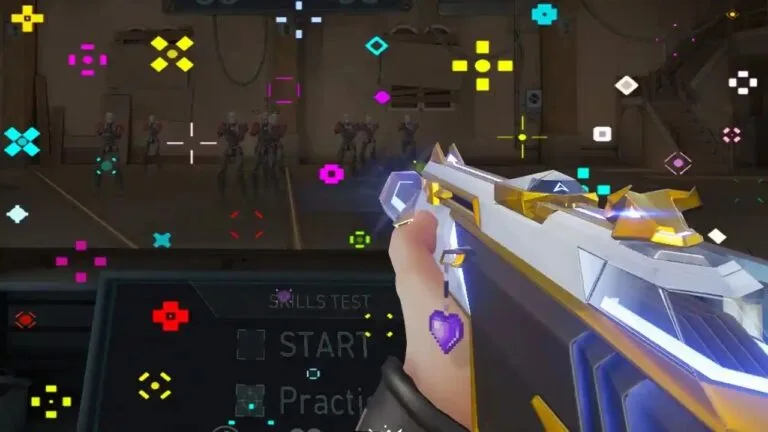
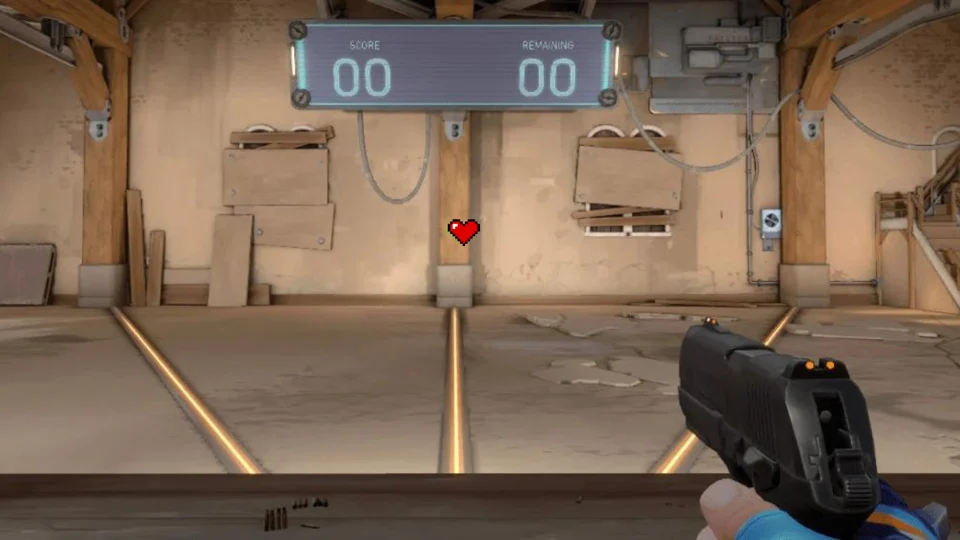
Looking for the exact heart crosshair valorant code to use in your next Swiftplay match? You have come to the right place. The Heart Crosshair is undeniably one of the most viral and requested cosmetic trends in Valorant for 2026.
Popularized heavily by TikTok clip channels, streamers, and “E-Dating” custom lobbies, this unique reticle has taken the casual community by storm. While it is certainly not the optimal choice for a VCT grand final, it is surprisingly usable for ranked play. The open center gap provides clear visibility of enemy heads, making it more than just a novelty.
There are actually two different versions of this reticle: the “Dynamic Spraying Heart” and the “Static Pink Heart”. Below, we have broken down both variations so you can choose the one that fits your aesthetic.
1. The Dynamic “Spraying” Heart
This is the original viral sensation. When you are walking or standing still, this crosshair looks like a relatively normal, slightly bulky dot. However, the moment you begin holding down the left-click to spray your Vandal or Phantom, the “Firing Error” settings cause the outer lines to expand outward, perfectly forming a red heart shape.
You can equip it immediately by copying the dynamic heart crosshair valorant code below:
❤️ Dynamic Heart Code
0;P;c;7;o;0.1;d;1;z;3;a;0;m;1;0t;1;0l;3;0o;0;0a;1;0f;0;1t;3;1l;3;1o;0;1a;1;1m;0;1f;02. The Static Pink Heart
If you prefer a reticle that retains its cute shape 100% of the time without needing to spray, the static heart crosshair valorant code offers a permanent solution. By utilizing custom hex colors and manipulating the inner and outer line thickness, players have engineered a permanent pink heart.
🌸 Static Pink Heart Code
0;c;1;s;1;P;c;8;u;F97AC0FF;h;0;d;1;b;1;z;3;f;0;m;1;0t;4;0l;1;0o;2;0a;1;0f;0;1t;3;1l;1;1o;2;1a;1;1m;0;1f;0;S;b;1;c;8;t;F97AC0FF;s;0.823;o;1How to Import the Heart Crosshair Valorant Code
If you have never imported a custom profile before, the process is incredibly straightforward. Follow these exact steps to inject the code directly into your game client:
- Open the Settings menu in VALORANT and navigate to the Crosshair section.
- Click on the Primary tab.
- Locate the Crosshair Profile drop-down menu. Next to it, you will find a downward-pointing arrow icon that says “Import Profile Code”.
- Click that icon. A text box will appear.
- Copy and paste the crosshair code from our boxes above into the Import Profile pop-up window.
- Click Import to instantly add the crosshair to your profile list.
Why Use a “Meme” Crosshair?
You might be wondering why anyone would choose a heart over a professional setup used by players like Aspas or TenZ. There are a few strategic (and fun) reasons:
- The Mental Warfare: In competitive tactical shooters, mental fortitude is everything. If you are top-fragging in a lobby and the enemy team sees on the killcam that you are using a giant pink heart to headshot them, it induces massive amounts of tilt.
- Content Creation: If you are a streamer or a TikTok creator, visual flair matters. Using unique, eye-catching settings like the Tracker.gg popular “Nerd Glasses” or the Heart keeps viewers engaged.
- Color Contrast: The bright red or custom pink hex codes provide fantastic visual contrast against the muted, sandy textures of maps like Ascent or Bind, meaning you will rarely lose track of your aim.
Frequently Asked Questions
What is the best heart crosshair valorant code?
The best version depends entirely on your playstyle. If you want visual feedback when your weapon’s recoil is resetting, use the Dynamic Spraying Heart (0;P;c;7;o;0.1…). If you want a consistent shape that never moves, use the Static Pink variant.
Can I get banned for using a custom crosshair code?
Absolutely not. Riot Games officially implemented the Import/Export code feature to encourage the community to share creative designs. Using any code built within the parameters of the in-game engine is 100% safe and allowed in all game modes.
How do I change the color of the heart?
Once you import the code, you can easily change the color. Go to your Crosshair settings, find the “Crosshair Color” dropdown, and select “Custom”. From there, you can input any 6-digit Hex Code (like #FFB6C1 for light pink or #FF0000 for pure red) to personalize it.