Best Apex Pro TKL Settings: Actuation & Rapid Trigger (2026)
Best Apex Pro TKL Settings: Actuation & Rapid Trigger Guide (2026)


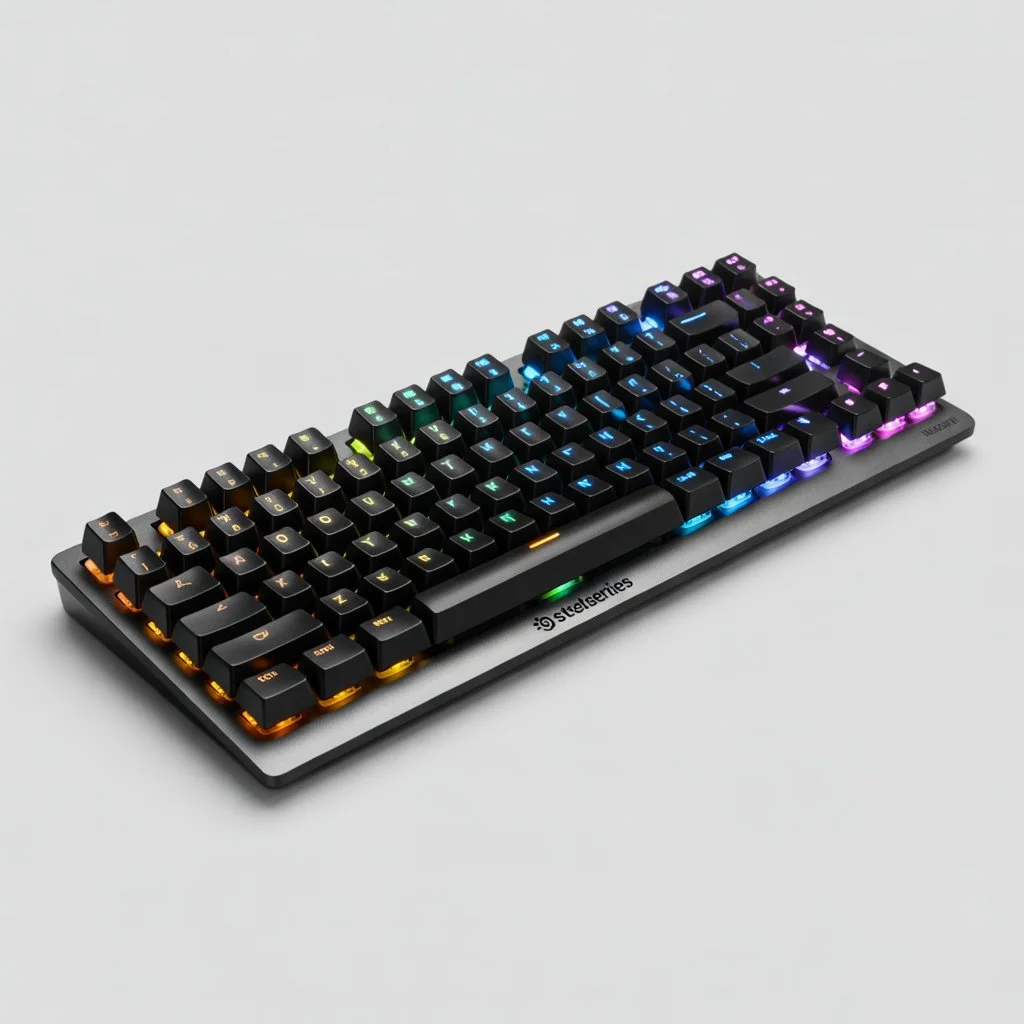
When it comes to competitive gaming peripherals, the apex pro tkl has completely revolutionized how professional players interact with their games. Gone are the days of standard mechanical red or blue switches. By introducing magnetic OmniPoint switches, this keyboard allows you to fundamentally alter the physical laws of how your keystrokes are registered.
However, owning the most advanced keyboard on the market is useless if you leave it on the factory default settings. The default configuration does not take advantage of the hardware’s true potential. In this comprehensive 2026 guide, we are going to break down the exact software configurations you need to dominate tactical shooters like CS2 and Valorant, as well as fast-paced hero shooters like Marvel Rivals. We will cover optimal actuation points, the magic of Rapid Trigger, and how to set up dynamic profiles in the official SteelSeries GG Engine software.
Understanding OmniPoint Switches & Actuation
To get the most out of your apex pro tkl, you must understand the technology driving it beneath the keycaps. Traditional mechanical keyboards use a physical metal contact to register a keypress. This means the key must travel a specific distance down (usually 2.0mm) before the computer recognizes the input.
OmniPoint switches use magnetic fields (Hall Effect sensors) to measure the exact depth of the key. Because there is no physical metal contact, you can use the software to tell the keyboard exactly when to register a press. You can set the actuation point as high as 0.1mm (a literal feather touch) or as deep as 4.0mm (bottoming out the key).
- 0.1mm – 0.5mm (Hair-Trigger): The key registers the moment you breathe on it. Incredible for movement, but highly prone to accidental typos if you rest your fingers heavily on the board.
- 1.0mm – 1.5mm (Standard Gaming): Faster than a traditional mechanical switch, offering a great balance of speed and control.
- 2.0mm – 3.8mm (Heavy/Typing): Requires deliberate force to press. Ideal for ultimate abilities you do not want to trigger by accident.
The Magic of Rapid Trigger
Actuation is only half the puzzle. The feature that makes the apex pro tkl an absolute necessity for esports is Rapid Trigger.
On a standard keyboard, after you press a key, you must let it physically travel all the way back up past its original reset point before you can press it again. Rapid Trigger completely eliminates this physical limitation. It dynamically resets the key the exact moment it starts moving upward. If you press a key down 2.0mm, and lift your finger just 0.1mm, the key resets. If you press it down again instantly, it registers a new keystroke.
This allows players to “flutter” or vibrate their fingers on a key to register multiple inputs in a fraction of a second. In tactical shooters, this translates to perfectly precise counter-strafing, stopping your character’s momentum instantly to secure a perfectly accurate headshot.
Best Settings for Valorant and CS2
Tactical shooters require microscopic movement precision. When utilizing our Universal Crosshair Generator, you likely noticed how much crosshair spread is affected by movement error. To eliminate that error, you need the fastest stop-time possible.
🎯 The “Radiant Strafing” Profile
Use the SteelSeries Engine to set these specific values on your movement cluster:
- W, A, S, D Keys: Actuation at 0.2mm to 0.4mm. (0.1mm is often too sensitive and can cause accidental jiggle-peeking).
- Rapid Trigger: ON for W, A, S, D. Set the Rapid Trigger sensitivity to 0.1mm for instant stopping power.
- Walk (Shift) / Crouch (Ctrl): Actuation at 1.0mm. You do not want to accidentally reveal your position by dropping your crouch.
- Ultimate (X): Actuation at 3.0mm. Never accidentally burn a game-winning ultimate.
Best Settings for Marvel Rivals
Hero shooters are less about counter-strafing and more about fluid ability rotations and chaotic movement. If you review the top meta picks on our Marvel Rivals Tier List, you will see that characters like Spider-Man and Magik require rapid sequential button presses to execute their combos.
🎯 The “Arena Brawler” Profile
- Movement (W,A,S,D): Actuation at 0.8mm. Rapid Trigger OFF. You want smooth, uninterrupted tracking movement.
- Primary Abilities (Q, E, F): Actuation at 0.4mm. You want your abilities to fire the exact millisecond your brain reacts to an enemy dive.
- Jump (Spacebar): Actuation at 1.0mm to perfectly time your ledge-grabs and aerial maneuvers.
- Ultimate (Q/Z): Actuation at 2.5mm.
Dual Actuation: The Advanced Secret
The apex pro tkl has a hidden feature called Dual Actuation. Because the magnetic switch reads the entire depth of the keystroke, you can bind two completely different actions to a single key depending on how hard you press it.
For example, in a game like Counter-Strike, you can bind “Equip Grenade” to a light press (1.0mm) and “Throw Grenade” to a deep press (3.8mm). In Valorant, you can bind “Walk” to a light press on your W key, and “Run” to a full bottom-out press. While this takes significant muscle memory to master, it completely frees up the rest of your keyboard for complex ability macros.
Common Setup Mistakes to Avoid
Do not set your entire keyboard to 0.1mm actuation. This is the most common mistake new users make. If your spacebar and your communication keys are set to hair-trigger sensitivity, the natural vibration of your fingers resting on the board will cause you to randomly jump in the middle of a gunfight, destroying your accuracy.
Always utilize the profile switching feature in the SteelSeries GG software. Create a dedicated “Typing” profile with a standard 2.0mm actuation and Rapid Trigger disabled, and set the software to automatically launch your “Esports” profile only when your specific game executable (.exe) opens.
Frequently Asked Questions
Is 0.1mm actuation good for Valorant?
While 0.1mm is the fastest possible actuation, it is generally considered too sensitive for most players’ movement keys, leading to accidental inputs and “fat-fingering.” Top professional players typically hover between 0.3mm and 0.6mm for their WASD cluster to maintain control while keeping Rapid Trigger active.
What does Rapid Trigger actually do?
Rapid Trigger removes the physical reset point of a mechanical switch. Instead of waiting for the key to travel back up to the top, the keyboard dynamically resets the key the exact millisecond it detects upward movement. This allows you to press the same key multiple times in rapid succession without bottoming out.
Do I need the SteelSeries GG software running in the background?
Yes and no. The Apex Pro TKL has onboard memory that can save your basic actuation profiles. However, for dynamic features like auto-profile switching based on the game you are playing, or complex dual-actuation macros, the software must be running in the background.