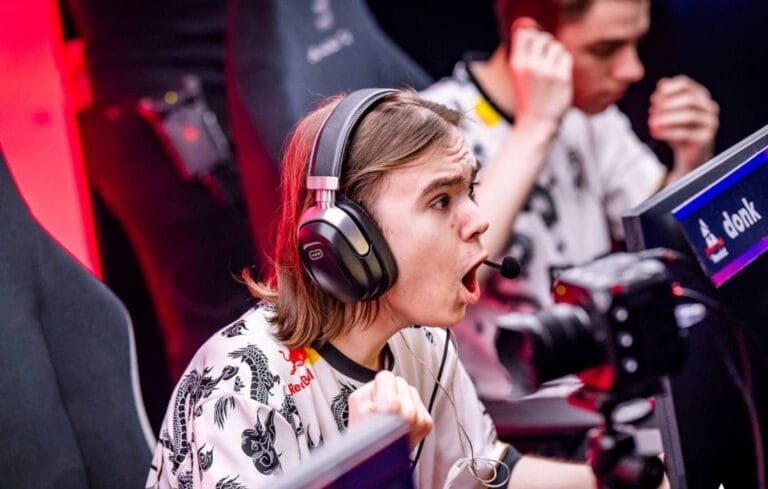
ZywOo CS2 Crosshair & Settings (2026)
ZywOo CS2 Settings & Crosshair Code: 2026 Pro Guide
Mathieu “ZywOo” Herbaut is widely regarded as one of the most mechanically gifted Counter-Strike players in the world. Playing for Team Vitality, he is the ultimate hybrid player, equally terrifying with an AWP or an AK-47. Because of this versatile playstyle, mastering the exact ZywOo CS2 settings is essential for players who want to entry-frag and hold long angles with a sniper rifle.
If you want to replicate the success of the French phenom, you need his precise 2026 configuration. This complete guide breaks down his custom mouse sensitivity, his signature hardware, his stretched video resolution, and his cyan crosshair. You can also view his tournament history on his official Liquipedia profile.
ZywOo Hardware Vault: “The Chosen” Setup
A vital aspect of the ZywOo CS2 settings is his hardware ecosystem. Unlike players who use standard gear, ZywOo has his own custom-branded peripherals designed specifically for his grip style. Here is the premium esports equipment he uses to dominate on stage:
| Hardware Component | Model / Gear |
|---|---|
| Gaming Mouse | Pulsar ZywOo “The Chosen” Edition |
| Esports Monitor | ZOWIE XL2566K (360Hz) |
| Keyboard | ASUS ROG Falchion Ace HFX |
| Gaming Headset | ASUS ROG Pelta |
| Mousepad | “The Chosen” Mousepad |
ZywOo Mouse Settings & eDPI
The core of his consistency comes from his incredibly balanced mouse sensitivity. While pure AWPers often play on higher sensitivities and pure riflers play lower, ZywOo sits perfectly in the middle compared to the average HLTV top-tier pro.
- DPI: 400
- In-Game Sensitivity: 2.00
- eDPI (Effective DPI): 800
- Zoom Sensitivity: 1.00
- Polling Rate (Hz): 1000Hz
- Windows Sensitivity: 6/11
His 800 eDPI gives him enough control to trace moving targets with an M4A1-S, while still allowing for rapid flicks when wielding the AWP.
ZywOo CS2 Crosshair Code
ZywOo uses a very small, classic static crosshair. It is noticeably smaller than s1mple’s, allowing for pinpoint accuracy on headshots at long distances.
🎯 ZywOo Pro Code
CSGO-c2nZk-um3no-3LSxE-ZXO5n-Mv5qBConsole Command Alternative:
If you prefer to manually inject his crosshair via the developer console, copy and paste this exact string:
cl_crosshairsize 1.5; cl_crosshairthickness 0.1; cl_crosshairgap -3; cl_crosshaircolor 4; cl_crosshairstyle 4; cl_crosshairdot 0; cl_crosshair_drawoutline 0;
ZywOo Video Settings & Viewmodel
A massive piece of the ZywOo CS2 settings puzzle is his video configuration. Like many Counter-Strike veterans, he prefers a stretched resolution to make enemy models appear slightly wider.
- Resolution: 1280×960 (or 1024×768 depending on the setup)
- Aspect Ratio: 4:3
- Scaling Mode: Stretched
- Display Mode: Fullscreen
- Anti-Aliasing: 4x MSAA
Viewmodel Commands:
He uses a standard, competitive viewmodel to keep the weapon model out of the center of his screen.
viewmodel_fov 68; viewmodel_offset_x 2.5; viewmodel_offset_y 0; viewmodel_offset_z -1.5; viewmodel_presetpos 2;
ZywOo Launch Options
Finally, completing the ZywOo CS2 settings configuration involves adding the right launch options to your Steam client to ensure the game boots correctly and prioritizes performance.
-novid -tickrate 128 -allow_third_party_software
Frequently Asked Questions
Why does ZywOo use 800 eDPI?
An eDPI of 800 is considered the “goldilocks zone” for professional Counter-Strike. It provides enough stability for precise rifle sprays, while still allowing the player to turn quickly when clearing corners with an AWP.
What mouse does ZywOo play with?
He currently uses his own signature mouse, the Pulsar ZywOo “The Chosen” Edition. It is an ultra-lightweight ergonomic wireless mouse designed specifically for his grip style.
How do I import the ZywOo CS2 settings into my game?
To import his crosshair, copy the share code provided above, open your CS2 settings menu, navigate to the Game tab, select Crosshair, and click “Share or Import” to paste the code.