TenZ Crosshair Code & VALORANT Settings (Oct 2026)
TenZ’s current VALORANT crosshair code is below. It’s a small cyan cross with no outlines and no center dot. He plays at 1600 DPI and 0.14 sensitivity (224 eDPI). Values were last checked on 25 October 2026 against the sources at the end of this page.
TenZ crosshair code (copy & paste)
0;s;1;P;c;5;o;0;f;0;0l;2;0v;2;0g;1;0o;1;0a;1;0f;0;1b;0How to import it: in VALORANT, open Settings → Crosshair → click the import icon next to the profile name, paste the code, and save it as a new profile so you keep your current one.
| Crosshair setting | Value |
|---|---|
| Color | Cyan (#00FFFF) |
| Outlines | On, opacity 0 (effectively off) |
| Center dot | Off |
| Inner lines | Opacity 1 · Length 2 · Thickness 2 · Offset 1 |
| Movement / firing error | Off / Off |
| Outer lines | Off |
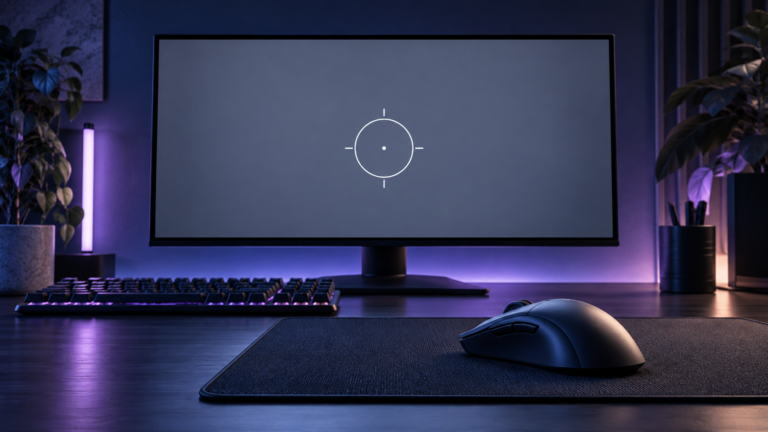
Who it suits: a tiny, static cross keeps the target visible behind it, which suits players who track heads rather than flick to them. Cyan with no outline is very visible on dark walls but can fade against bright sky and pale stone, as the preview shows. If you lose it on Breeze or Icebox, keep the shape and switch the color, or turn outlines on at opacity 0.5.
TenZ mouse settings and sensitivity
| Setting | Value |
|---|---|
| DPI | 1600 |
| In-game sensitivity | 0.14 |
| eDPI | 224 |
| Scoped sensitivity | 1 |
| Windows sensitivity | 6 (default) |
| Raw input buffer | On |
What 224 eDPI means: eDPI is DPI × sensitivity. 224 is on the low side for VALORANT, where most pros fall between roughly 200 and 320. To copy his feel at 800 DPI, use 0.28 sensitivity (800 × 0.28 = 224). Check any other combination with our eDPI calculator. If you are coming from CS2 or another game, use the sensitivity converter rather than copying the number directly.
1600 vs 800 DPI: at the same eDPI your aim moves the same distance either way. Higher DPI mainly smooths very small movements at low in-game sensitivity. It isn’t an aim upgrade on its own. See 800 vs 1600 DPI in VALORANT.
TenZ video settings
| Setting | Value |
|---|---|
| Resolution | 1920×1440 (4:3), aspect method Fill |
| Display mode | Windowed fullscreen |
| Material / Texture / Detail / UI quality | Low / Low / Low / Low |
| Multithreaded rendering | On |
| Anti-aliasing / Anisotropic filtering | MSAA 2x / 2x |
| Bloom / Distortion / Cast shadows / Vignette | On / Off / Off / Off |
| VSync | Off |
| Enemy highlight color | Yellow (Deuteranopia) |
A 4:3 resolution stretched with Fill makes character models look wider, at the cost of a narrower view. Try it in the Range before ranked; many players go back to native 16:9. For a full FPS-first setup, see best VALORANT settings for FPS and visibility.
TenZ gear (2026)
| Gear | Model |
|---|---|
| Mouse | Pulsar TenZ Signature Edition 2.0 |
| Monitor | Sony INZONE M10S II (27″, 1440p, 540 Hz OLED) |
| Keyboard | Wooting 80HE TenZ Edition |
| Headset | Sony INZONE H9 II |
| Mousepad | Artisan Ninja FX Zero TenZ |
You don’t need any of this gear to use his crosshair or sensitivity. Both work on any mouse and monitor.
FAQ
Is TenZ still a pro player?
No. TenZ retired from professional VALORANT in 2025 and now streams and creates content. His settings still get copied a lot, and he changes them occasionally, so check the date at the top of this page.
Why does my imported crosshair look different?
Resolution changes how large the lines look: on 4:3 stretched it looks wider than on 16:9. If the import button fails, see crosshair code not working.
Sources and update log
- ProSettings.net: TenZ, updated 5 Oct 2026. Used for the crosshair code, sensitivity, video settings and gear.
- VLR.gg: TenZ player profile. Career and team history.
- 25 Oct 2026: page rebuilt with the current code (2-length, 1-offset cyan cross), 0.14 sens / 224 eDPI, 4:3 Fill resolution, and an original crosshair preview.
More pros: VALORANT pro settings database · Demon1 settings · all crosshair codes.