Derke Valorant Crosshair & Settings (2026)
Best Derke Valorant Settings & Crosshair (2026 Pro Guide)
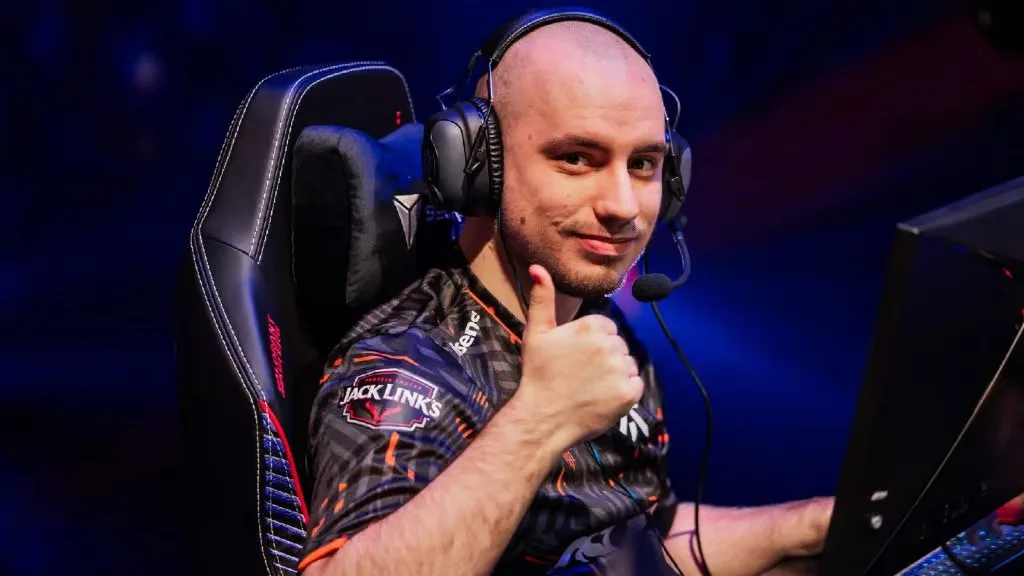
If you want to aim like the “King of Fnatic,” you need the official Derke Valorant Crosshair. Nikita “Derke” Sirmitev is widely regarded as one of the top Duelists in the world. As the primary entry fragger for Fnatic, his mechanical consistency on Jett and Raze is unmatched.
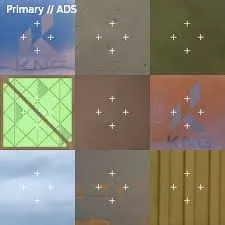
Unlike many “aim demons” who use tiny pixels, Derke uses a distinct White Dot that is slightly larger than average. This helps him track heads clearly during chaotic LAN events. Below is the complete guide to Derke Valorant settings, including his crosshair code, mouse sensitivity, and stretched resolution.
Derke Valorant Crosshair Code (2026)
The Derke Valorant Crosshair is a “Dot” style with outlines enabled. The outline is crucial because it ensures the crosshair remains visible against bright backgrounds like Icebox or Ascent. It is perfect for players who struggle to keep track of their aim during spray transfers.
Derke Mouse Settings & Sensitivity
Derke plays on a relatively low sensitivity. He uses 800 DPI with an in-game sens of 0.29. This gives him an eDPI of 232, which is in the “Goldilocks Zone” for pro players—fast enough to satchel with Raze, but slow enough to click heads with the Sheriff.
| Setting | Value |
|---|---|
| DPI | 800 |
| Sensitivity | 0.29 |
| eDPI | 232 (Medium-Low) |
| Zoom Sensitivity | 1.00 |
| Hz (Polling Rate) | 1000Hz / 4000Hz |
| Raw Input | On |
Derke Video Settings (Stretched Resolution)
Like many former CS:GO pros, Derke plays on 4:3 Stretched. He uses a custom resolution of 1280×960.
Why use Stretched Res? Stretching the image makes enemy player models appear wider on your screen. While the hitboxes don’t actually change, the visual target is larger, which can make hitting shots with the Operator or Vandal feel easier.
| Video Setting | Value |
|---|---|
| Resolution | 1280×960 (4:3 Stretched) |
| Display Mode | Fullscreen |
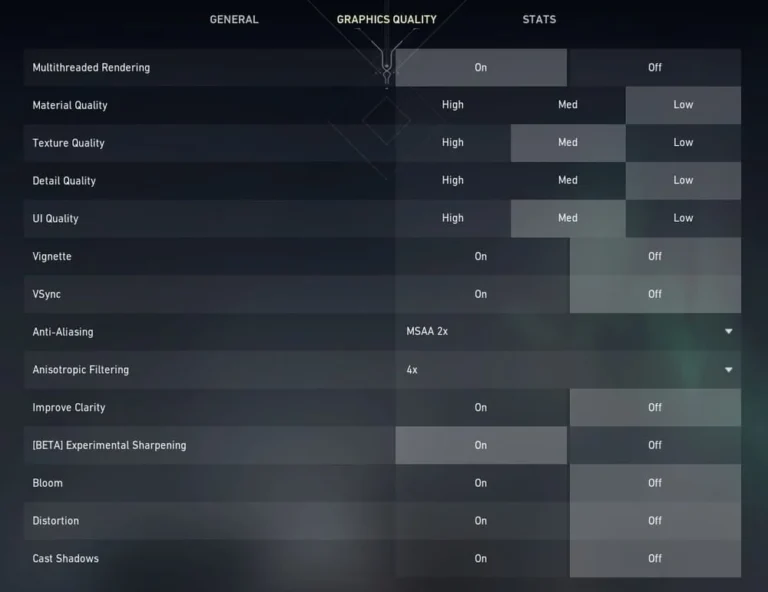
| Multithreaded Rendering | On |
| Material Quality | Low |
| Texture Quality | Low |
| Detail Quality | Low |
| UI Quality | Low |
| Anti-Aliasing | MSAA 4x |
| Anisotropic Filtering | 4x |
| Bloom | On |
Derke’s Gaming Gear (2026)
To maintain his status as a world-class Duelist, Derke uses top-tier esports peripherals.
- Mouse: Logitech G Pro X Superlight 2 (White)
- Keyboard: Wooting 60HE (Rapid Trigger Enabled)
- Headset: Fnatic React Headset (Black)
- Mousepad: Fnatic Dash (Control Pad)
- Monitor: ZOWIE XL2566K (360Hz)
Keybinds & Movement
Derke is famous for his movement on Raze. Here are the keybinds he uses to hit those double-satchel entries.
- Walk: Left Shift
- Crouch: Left Ctrl
- Jump: Mouse Wheel Down (Essential for Bunny Hopping)
- Ability 1 (Blast Pack): C
- Ability 2 (Grenade): Q
- Ability 3 (Boom Bot): E
- Ultimate (Showstopper): X
Why is Derke So Good?
Derke’s playstyle is a mix of aggression and discipline. Unlike “All Aim No Brain” ranked players, Derke uses the Derke Valorant Crosshair to hold angles patiently. He waits for his team’s utility (like Fade haunts or Breach stuns) before dashing in.
If you are trying to climb in Ranked, copying his 0.29 Sensitivity is a great starting point. It forces you to aim with your arm, which builds better muscle memory than wrist aiming over long periods.
Want to compare Derke to other Duelists? Check out the Top 50 Pro Crosshair Database to see how his setup stacks up against Aspas or TenZ.
⚠️ Try Hard Mode?
Think you can aim like Fnatic? Copy the code below.
Deep Dive: Why Derke’s Settings Work
Many players ask why Derke uses a dot instead of a traditional cross. The answer lies in his role. As an entry fragger, Derke often fights at close range with Raze satchels or long range with the Operator on Jett. A simple White Dot provides the perfect balance—it is small enough for precision sniping but thick enough to track enemies while flying through the air.
Furthermore, his Stretched Resolution (1280×960) is a key part of his success. By making player models appear wider, he reduces the mental strain of hitting micro-flicks. If you are struggling with consistency, switching to stretched res might help you land those difficult shots.
Where to Watch Derke Live
To see how he adapts these settings in real-time, you should follow his official channels:
- Twitter/X: Follow his updates at @Derke.
- Stats: Check his recent match performance on VLR.gg.
- Twitch: Watch him stream ranked games at twitch.tv/derke.
By combining the official Derke Valorant Crosshair with his disciplined sensitivity, you can replicate the setup of EMEA’s most consistent Duelist. Just remember: settings can help, but you still need to train your aim in the Range.