Tarik Valorant Crosshair & Settings (2026)
Best Tarik Valorant Crosshair & Settings (2026 Pro Guide)
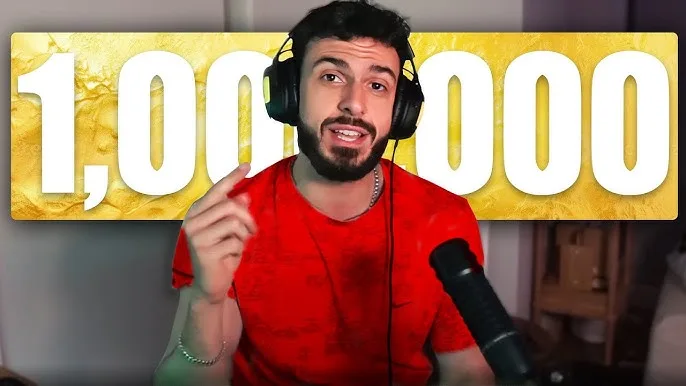
If you are looking for the official Tarik Valorant Crosshair, you have come to the right place. Tarik “tarik” Celik is the undisputed “Content King” of Valorant and a Major-winning FPS legend. Unlike pro competitors who stick to one config, Tarik changes his settings frequently for content challenges.
However, his “tryhard” setup is almost always a precise White Dot. This guide covers the complete Tarik Valorant Crosshair code, his high-sensitivity mouse settings, and the video configuration he uses to dominate Radiant lobbies in 2026.
Tarik Valorant Crosshair Code (2026)
The Tarik Valorant Crosshair is a simple, high-contrast white dot with a black outline. This minimizes visual clutter, allowing him to focus entirely on the enemy’s head hitbox. It is widely considered one of the best crosshairs for players who have confident aim.
Tarik Mouse Settings & Sensitivity
One of the most unique aspects of his playstyle is his sensitivity. While most pros play on low sens (around 200-280 eDPI), Tarik plays on a significantly higher sensitivity.
His eDPI of 376.8 allows him to check corners rapidly and react to “stream snipers” without tiring his arm during his marathon 10-hour broadcasts.
| Setting | Value |
|---|---|
| DPI | 800 |
| Sensitivity | 0.471 |
| eDPI | 376.8 (High) |
| Zoom Sensitivity | 1.00 |
| Hz (Polling Rate) | 1000Hz |
| Raw Input | On |
Tarik Video & Graphics Settings
To maintain maximum FPS while streaming, Tarik uses competitive video settings. He prioritizes clarity and performance over visual quality. Note that while he uses a 1920×1080 resolution, he often plays with Bloom On, which is rare for pros.
| Video Setting | Value |
|---|---|
| Resolution | 1920×1080 (16:9) |
| Multithreaded Rendering | On |
| Material Quality | Low |
| Texture Quality | Low |
| Detail Quality | Low |
| UI Quality | Low |
| Vignette | Off |
| VSync | Off |
| Anti-Aliasing | MSAA 4x |
| Anisotropic Filtering | 4x |
| Bloom | On |
Tarik’s Gaming Gear (Peripherals)
You cannot use the Tarik Valorant Crosshair effectively without the right gear. Tarik is known for using lightweight mice and a rapid-trigger keyboard.
- Mouse: Logitech G Pro X Superlight 2 (White)
- Keyboard: Wooting 60HE (Rapid Trigger Enabled)
- Headset: HyperX Cloud II Wireless
- Mousepad: Razer Strider
- Monitor: ZOWIE XL2566K (360Hz)
Keybinds & Controls
Tarik uses standard default keybinds, but it is worth noting his movement keys.
- Walk: Left Shift
- Crouch: Left Ctrl
- Jump: Mouse Wheel Down
- Ability 1: C
- Ability 2: Q
- Ability 3: E
- Ultimate: X
Frequently Asked Questions
What is the Tarik Valorant Crosshair code?
The code is 0;s;1;P;o;1;d;1;f;0;0b;0;1b;0;S;d;0. It is a precise white dot with a black outline.
Is Tarik’s sensitivity high?
Yes, compared to the average pro player, Tarik’s sensitivity (0.471 @ 800 DPI) is considered high/fast.
⚠️ Want More Pro Settings?
Compare Tarik’s setup with other legends like TenZ or Demon1.
👉 View Top 50 Pro CrosshairsDeep Dive: Why Tarik’s Settings Work
Many players ask why the Tarik Valorant Crosshair is just a simple dot. The answer lies in his background. As a Major-winning CS:GO champion (Boston 2018 with Cloud9), Tarik developed a playstyle based on raw mechanical skill and rapid target acquisition.
Unlike tactical IGLs who play slowly, Tarik is the self-proclaimed “King of Content.” His playstyle is aggressive, often holding the “W” key to take space. For this style, a cluttered crosshair is a distraction. The white dot allows him to see more of the enemy model, making micro-adjustments easier during chaotic entry frags.
The Logic Behind High Sensitivity
Most professional Valorant players sit around 200-280 eDPI. Tarik plays at 376.8 eDPI. Why?
- Content Creation: Tarik streams for 8-10 hours a day. High sensitivity requires less physical arm movement, reducing fatigue and the risk of wrist injury over long sessions.
- Checking Corners: As a Duelist/Flex player, he needs to clear angles instantly. High sens allows him to turn 180 degrees with a small flick of the wrist.
- Reactivity: In Ranked (Radiant lobbies), gameplay is less structured than pro matches. Players pop out from unexpected angles. His higher sensitivity allows him to react faster than a low-sens player could.
Why Tarik Uses the Wooting 60HE
You will notice in the gear list that Tarik uses the Wooting 60HE. This keyboard has become the “Gold Standard” for Valorant pros.
The Wooting features “Rapid Trigger” technology. Unlike a normal mechanical keyboard that needs to fully reset a key before pressing it again, the Wooting activates the moment you lift your finger. This allows for instant counter-strafing, making your bullets accurate faster. If you want to aim like Tarik, this keyboard is arguably more important than the mouse.
Where to Watch Tarik Live
Tarik changes his crosshair frequently for challenges (like the “Smallest Crosshair Challenge” or “Giant Crosshair”). To see his current setup in real-time, you should follow his official channels:
- Twitch: Watch him live on twitch.tv/tarik.
- Stats: Check his recent match performance on VLR.gg.
- Twitter/X: Follow updates at @tarik.
By combining the official Tarik Valorant Crosshair with his high-speed peripherals, you can replicate the setup of North America’s most popular player. Just remember: settings can help, but you still need to train your aim.